
Checkout optimization should be a top priority because every second and every extra field in your flow affects revenue. When pages are slow or the flow is confusing, shoppers bail — and cart abandonment isn’t just an analytics number, it’s lost revenue. This article walks through practical speed, UX, payment, and testing tactics you can apply quickly to reduce abandonment and recover more sales.
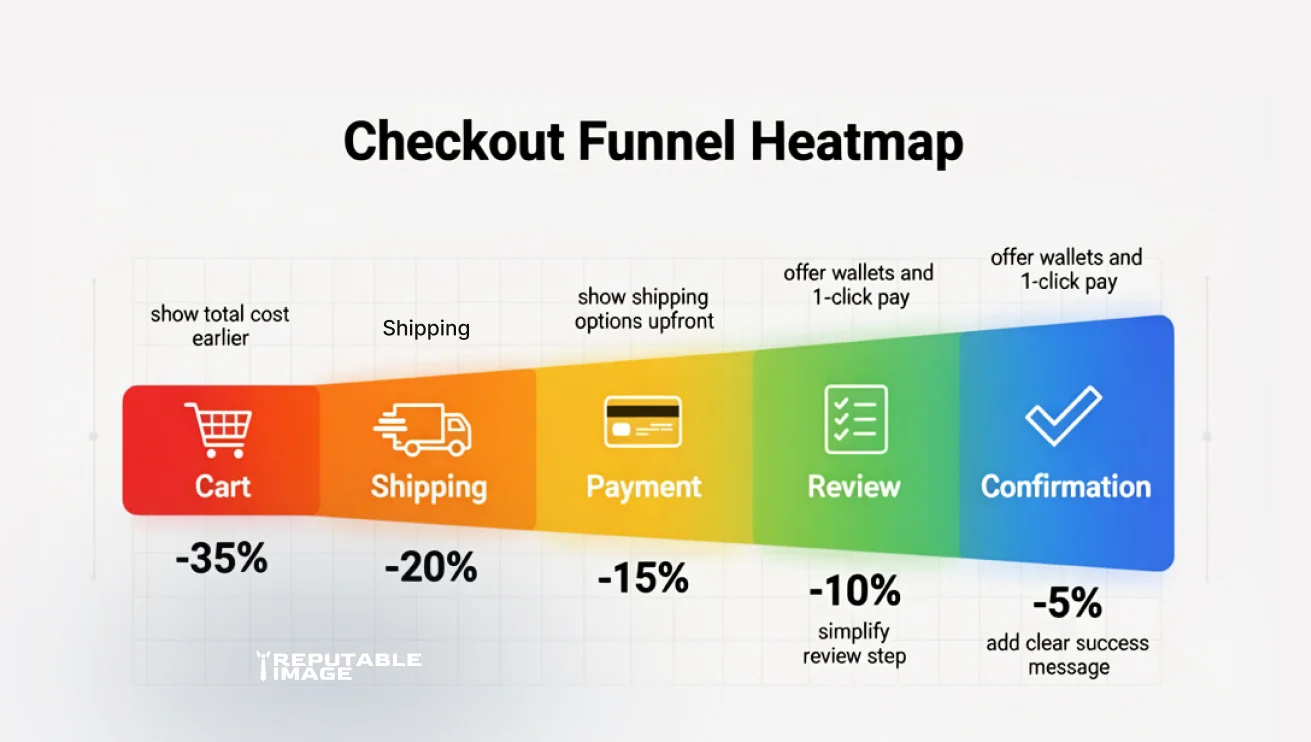
Start with data: measure where shoppers drop off in your checkout and which devices show the worst abandonment. Use funnel reports from your analytics and a session-replay/heatmap tool to spot hesitations, mis-taps, or form errors. Knowing the highest-impact drop points focuses optimization work where you’ll actually move the needle.
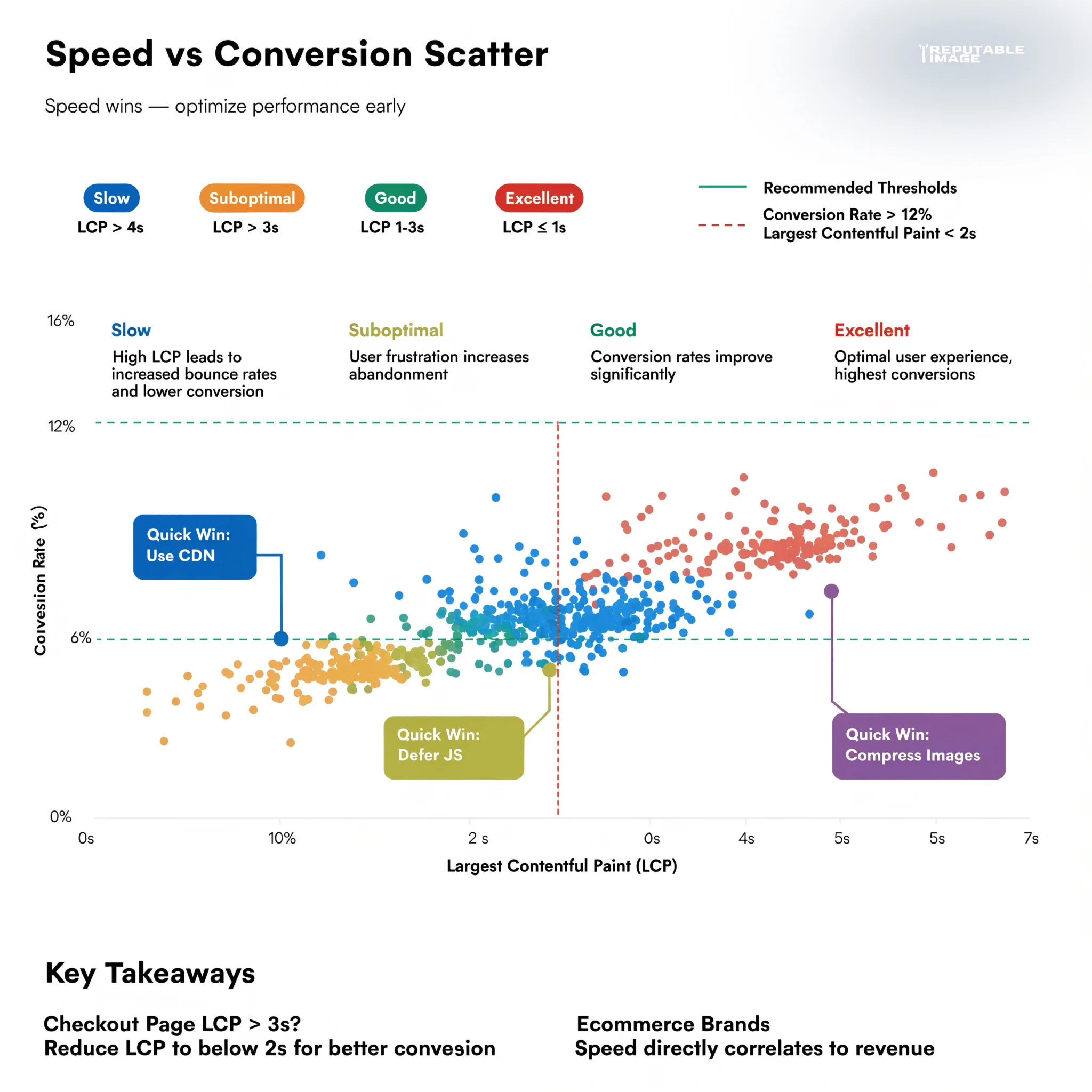
Page speed is a core conversion driver: shaving load time on checkout pages reduces friction and improves completion rates. Prioritize server-side caching, use a global CDN, compress images, and defer nonessential scripts during checkout. Also keep payloads tiny — unnecessary JS or third-party widgets on the checkout page create idle CPU work and slow first interactions.
Most carts are abandoned on mobile, so ensure touch targets, one-thumb reach, and visible progress indicators on small screens. Use single-column forms, large inputs, and reduce keyboard switching by selecting appropriate input types (tel, email, number). Avoid complex multi-step flows unless each step clearly reduces cognitive load; when used, show concise progress with a linear indicator.
Ask only for what you need — remove optional fields, hide promo code boxes behind a small link, and auto-detect country/region where possible. Use address autocomplete and dynamically format phone and postal inputs to local expectations. Save returning customer details securely and offer a guest checkout flow that still captures an email for receipts and recovery.
Offer one-click, local, and wallet payment methods (Apple Pay, Google Pay) to speed completion. Payment form fields should be clearly labeled and avoid interruptive validation errors; validate inline and give corrective suggestions. If you support saved cards or tokenized checkout, clearly explain security and give easy editing for payment methods.
Keep the UI minimal and reveal extra options only when needed — for example, show shipping options after the address is entered and hide tax summaries until the totals stage. Provide inline help text and lightweight tooltips for fields likely to confuse users (taxes, duty, or coupon rules). Microcopy that anticipates questions reduces hesitation.
Unexpected costs are a top reason for abandonment — show shipping, taxes, and return policy earlier in the flow. Add trust badges, secure checkout labels, and a short guarantee near the CTA to reassure users. Use human-friendly timing for delivery estimates and avoid legalese that makes totals feel uncertain.
Capture an email early (even in guest checkout) and use a timed cart recovery sequence: a reminder, an incentive, and social proof can recapture some shoppers. Test which incentives (free shipping, percentage off) recover the most revenue without eroding margin. Keep the recovery emails short, visual, and action-focused.
Small UX changes often yield the biggest wins — swap a CTA, shorten a shipping option label, or test pre-filled vs. blank forms. Use A/B tests tied to revenue metrics rather than just clicks. Always run experiments long enough to capture performance across device types and traffic sources. For measuring user paths and post-change impact, see Using Analytics to Improve UX.
Device matrix: test on representative low-end Android and iOS devices. Performance: measure LCP and INP for the checkout path. UX: validate touch targets, keyboard behavior, and microcopy. Payments: test all gateways, saved card flows, and declined card handling. Recovery: verify cart emails and tracking for UTM attribution.
Secure your checkout with HTTPS and PCI-compliant payment processing; never store raw card data unless you are a licensed processor. Keep privacy notices short and link to full policies; avoid gating checkout behind heavy consent walls. Small trust missteps can send shoppers away.
Map fixes to expected revenue impact and ease of implementation: quick wins like removing a field or enabling Apple Pay can ship in a day, while a frontend performance rebuild may take longer. Roll out changes to a percentage of traffic first and monitor conversion, not only micro-interactions.
Checkout optimization is a continual process of removing friction, improving speed, and validating changes with data. Small, targeted fixes often pay for themselves quickly by recovering lost conversions and improving long-term customer trust.
We can audit and correct your checkout flow, run targeted A/B tests, and implement the fastest UX and performance wins to reduce abandonment. Click the button below to get in touch for a free checkout audit and prioritized action plan.
Sources:
1. Baymard - "50 Cart Abandonment Rate Statistics 2026"
https://baymard.com/lists/cart-abandonment-rate
2. Shopify - "13 Checkout Optimization Tips To Increase Ecommerce Revenue"
https://www.shopify.com/blog/checkout-process-optimization
3. Web.dev - "Fast Load Times"
https://web.dev/explore/fast
