
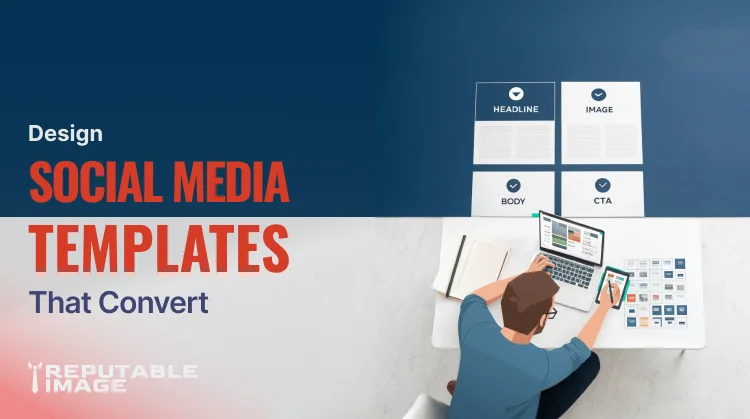
Designing effective social media templates saves time and improves consistency, but a template only helps if it’s built to encourage engagement. When you design templates with clear visual hierarchy, swappable copy slots, and tested CTAs, you give every post a better chance to earn clicks, comments, saves, and shares. Smart templates let small teams scale content without losing the craft that makes posts perform.
Templates remove decision fatigue and ensure each post follows the same engagement-driven logic: strong hook, scannable layout, clear value, and one tidy CTA. They allow non-designers to publish on-brand quickly while keeping the creative steps that actually move metrics in place. Brands using templated workflows report faster production and easier A/B testing across formats. (Sprout Social)
Mobile-first social posts are skimmed, not read. Create hierarchy by sizing the hook (big, bold headline), keeping supportive copy minimal, and using a clear CTA area. Use a consistent left-to-right or top-to-bottom reading flow and make sure the most important element is visible in the platform’s crop (profile grids and story thumbnails hide bottom copy on many platforms).
Think of templates as LEGO: design interchangeable blocks (hero headline, imagery, 3-bullet area, CTA). Keep the blocks consistent in padding and alignment so copy swaps and image replacements don’t break the frame. Build separate templates for single-image posts, carousels, and short vertical videos; reuse the same typography, color tokens, and CTA treatments across each format.
Create defined copy fields: Headline (6–8 words), Supporting line (12–18 words), CTA (1–4 words). Provide a short “voice” sample for each slot — e.g., headline: benefit-first; supporting: 1 sentence that explains the hook; CTA: action plus benefit. Keeping strict character guidelines prevents copy from overflow or going too wordy and preserves visual balance. Suggested internal link placement: For help writing short, conversion-focused copy, see Copywriting Strategies for Small Business Websites.
Decide early if your template favors product-on-white, lifestyle, or stylized graphic images. Overlay text only where contrast is guaranteed — add gradient overlays or text boxes to preserve legibility on busy photos. Always test the image crop for each network (Instagram square, Facebook landscape, LinkedIn preview, TikTok vertical) and provide safe-zone guides inside templates.
Buttons or CTAs should stand out visually and say exactly what the user gets (“Save this for later,” “Get the free checklist,” “Watch now”). For platform-native posts, use the caption CTA reinforced by the on-image button. Track which CTA phrasing and placement perform best and bake winners into your templates. Sprout Social and HubSpot emphasize measuring post intent and CTA clarity when optimizing templates.
Use accessible contrast for overlay text and ensure tappable areas meet platform minimum sizes. Add alt-text fields to template exports and keep font sizes readable on small screens. Accessibility improves reach and user experience — both help engagement in the long run.
Companies that standardize templates see fewer branding errors and faster publishing cycles.
Use basic A/B tests: change only one variable per test (CTA copy, headline length, image style). Track CTR, saves, shares, and comments as the primary signals — these feed the platforms’ distribution algorithms and matter more than vanity follower counts. Run tests for a few weeks and fold winning variants into your master templates. (HubSpot) To measure UX and behavior on landing pages after a post drives traffic, see Using Analytics to Improve UX.
Export templates in editable Figma or Canva format for designers, but generate locked exports (PNG/JPG/WebP) for scheduling tools. Add a naming convention (e.g., 2026-01-Template-Carousel-Offer-v1) and a short descriptor for the caption to make scheduling painless. Supply a one-page cheat sheet: crop guides, font sizes, CTA copy examples, and platform-specific specs.
A clinic we worked with replaced ad-hoc posts with two tested templates: a “Tips” carousel and a “Before/After” single image. Engagement rose 28% in four weeks because their CTAs were consistent and designers spent less time recreating layouts.
A clinic we worked with replaced ad-hoc posts with two tested templates: a “Tips” carousel and a “Before/After” single image. Engagement rose 28% in four weeks because their CTAs were consistent and designers spent less time recreating layouts.
If you want a set of ready-to-use social media templates (Figma + Canva + export kit) we can design, test, and deliver a template library tailored to your brand and goals — including caption starters and CTA tests.
Sources:
1. HubSpot - "Social Media Engagement: How to Make Your Brand the Life of The Digital Party"
https://blog.hubspot.com/marketing/social-media-engagement
2. Sprout Social - "37 free social media strategy templates that will elevate your workflows"
https://sproutsocial.com/insights/social-media-templates
