
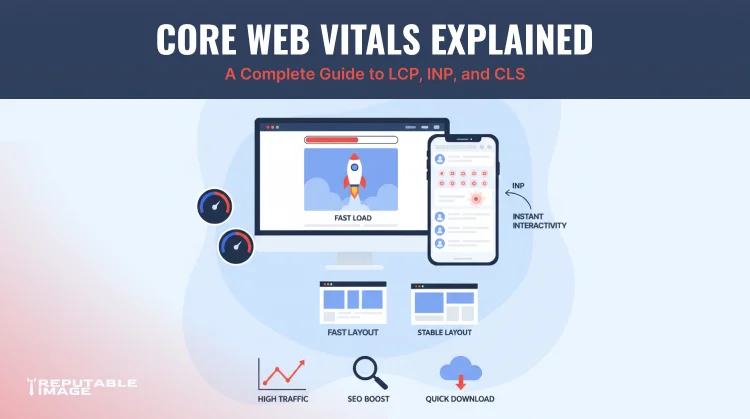
Website visitors have increasingly little patience for slow, clunky, or unpredictable online experiences. In a landscape where dozens of alternatives are just a back button away, a site that feels sluggish or visually unstable can lose a potential customer in seconds—often before they’ve even seen your core message. Google recognized this reality and, in response, developed a set of performance metrics called Core Web Vitals. These metrics move beyond abstract speed measurements and instead quantify how real people actually experience a webpage. By understanding and improving these signals, businesses can enhance user satisfaction, bolster their SEO performance, and deliver a smoother browsing experience across every device.
Core Web Vitals are a trio of user-centric performance metrics that Google considers essential indicators of a healthy website. Unlike traditional metrics such as full page load time, which capture only a single moment, Core Web Vitals evaluate the quality of the user experience from multiple angles: loading speed, interactivity, and visual stability. The three metrics that make up this set are:
These metrics are part of Google’s broader Web Vitals initiative and are incorporated directly into search ranking signals through the page experience update. Sites that meet the recommended thresholds across all three Core Web Vitals are more likely to rank well in search results, all else being equal. But more importantly, they provide a vastly better experience for the humans clicking through—reducing bounce rates, improving engagement, and ultimately driving more conversions.
Google defined specific thresholds for each metric, categorizing page performance as “Good,” “Needs Improvement,” or “Poor.” Optimizing for these benchmarks isn’t a one-and-done exercise; it’s an ongoing commitment to real-user monitoring and continuous refinement. The payoff, however, is a resilient, fast, and trustworthy digital presence.
Largest Contentful Paint measures the time it takes for the single largest visible element within the viewport to fully render. In most cases, this element is a hero image, a large banner, a video thumbnail, or a significant block of text. The goal is simple: deliver the main content of the page to the user as quickly as possible. Google recommends an LCP of 2.5 seconds or less for a good user experience.
Why does LCP matter so much? When a visitor clicks a link, their immediate need is to see whether the page contains what they’re looking for. If the primary content takes too long to appear, they’ll often assume the page is broken or abandon it altogether. Research consistently shows that pages with fast LCP enjoy higher conversion rates and lower bounce rates.
It’s also essential to correctly identify which element is your LCP. Google’s tools (like PageSpeed Insights) will point it out, and optimizing specifically for that element—rather than blindly compressing every image on the page—yields the most impactful results. Remember that the LCP element can change depending on viewport size, so mobile and desktop experiences must be optimized independently.
In March 2024, Google officially replaced First Input Delay (FID) with Interaction to Next Paint (INP) as the Core Web Vital for responsiveness. FID only captured the delay between a user’s first interaction and the browser’s ability to start processing it; INP provides a far more comprehensive picture. It observes the latency of all clicks, taps, and key presses throughout a user’s entire visit and reports the worst interaction delay (or a high percentile). A good INP score is 200 milliseconds or less.
INP measures the time from when a user interacts with the page to when the next visual frame is painted. For example, if a visitor clicks a “Add to Cart” button, INP tracks the full round trip until the UI updates—perhaps a spinning icon or a checkout confirmation. Long delays are typically caused by the browser being busy with heavy JavaScript work, such as processing analytics scripts, rendering complex UI updates, or parsing large JavaScript bundles.
setTimeout or yielding to the browser.
A responsive site feels fast and fluid, reinforcing user trust. Pages that ignore INP risk creating “rage clicks” and frustrated visitors who abandon tasks. As the newest Core Web Vital, INP deserves focused attention, particularly on complex, interactive pages like product configurators or multi-step forms.
Cumulative Layout Shift quantifies how much the visible content unexpectedly moves during page load. Anyone who has ever tried to tap a button on their phone only to have an ad load and push the button somewhere else understands the frustration CLS measures. Google recommends a CLS score of 0.1 or less for a good experience.
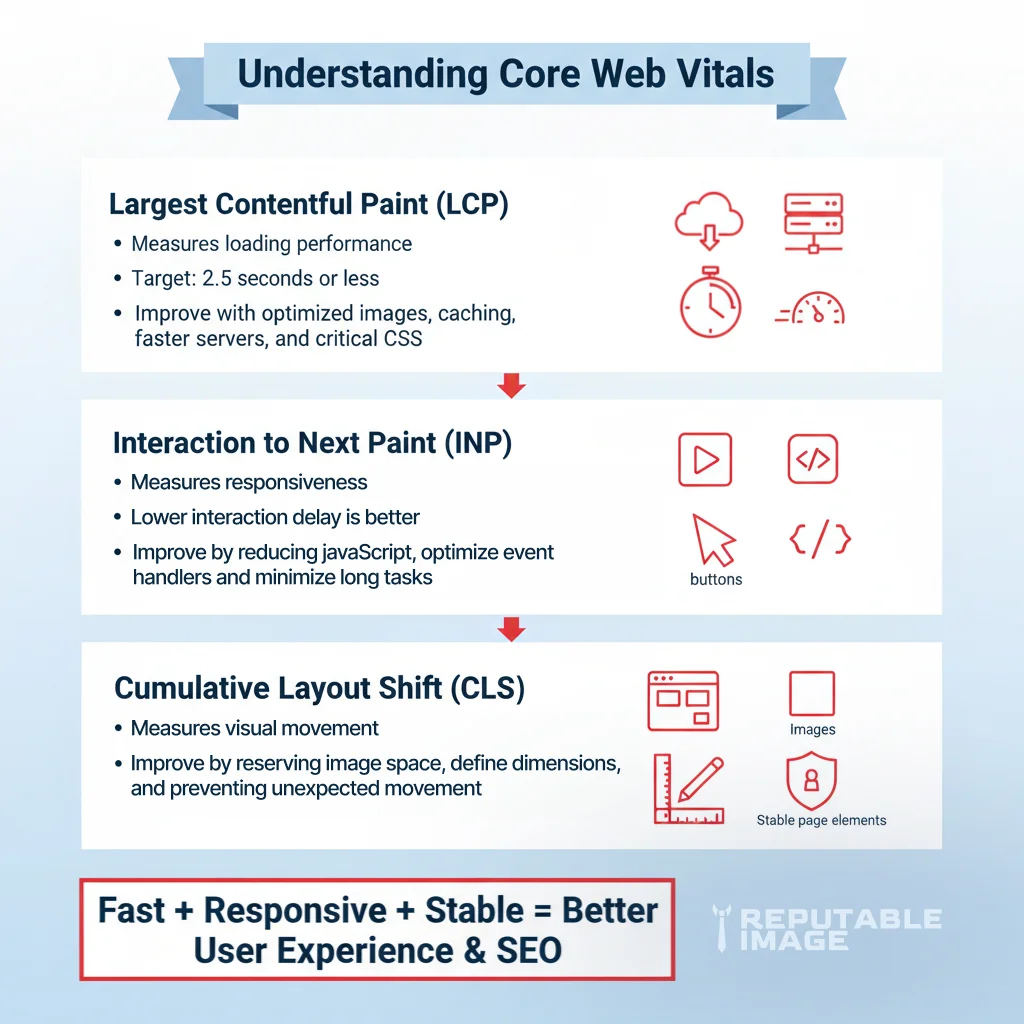
A low CLS score not only prevents accidental clicks and the annoyance they generate but also contributes to a perception of quality craftsmanship. Fixing CLS starts with specifying size attributes (width and height) for all media elements, or using the CSS aspect-ratio property so that the browser allocates the correct space before the resource loads. For dynamically injected content, reserve dedicated, sized placeholder containers and animate transitions subtly rather than jumping. Use font-display: optional or font-display: swap in combination with fallback fonts that match your custom font’s metrics to minimize text reflow.
CLS is unique among Core Web Vitals in that it continues to accumulate throughout the entire page session—if a shift happens 30 seconds after load, it still counts (though newer versions of the metric weigh early shifts more heavily). Therefore, stability must be maintained not just during initial load, but throughout the user’s interaction, including animated elements playing on infinite scroll or late-loading personalized content.
Improving Core Web Vitals requires measurement, and Google provides a suite of tools that combine both lab data (synthetic testing in a controlled environment) and field data (real user metrics gathered from Chrome users). Each tool serves a distinct purpose: To improve mobile performance and usability, read Mobile First Design: Best Practices.
Lab tests can be useful for catching regressions before they go live, but they don’t always capture the variability of real users’ network conditions, device capabilities, and diverse interaction patterns. Field data fills that gap by revealing how your actual visitors experience the site. The most effective performance strategy leverages both: lab data for debugging and field data to confirm that improvements have moved the needle.
Regular monitoring is essential because Core Web Vitals are not static. As you add new features, publish new content, or change third-party integrations, performance can degrade. Setting up continuous performance budgets, automated Lighthouse checks in CI/CD pipelines, and scheduled reviews of Search Console data help catch issues early.
Although LCP, INP, and CLS measure different aspects of the user experience, many optimization techniques yield cross-cutting benefits. A holistic performance strategy addresses the entire stack—from server configuration to front-end code to content delivery—rather than obsessing over a single metric. To learn more about technical performance improvements, read Site Speed Checklist: Images, Caching, CDNs, and Critical CSS.
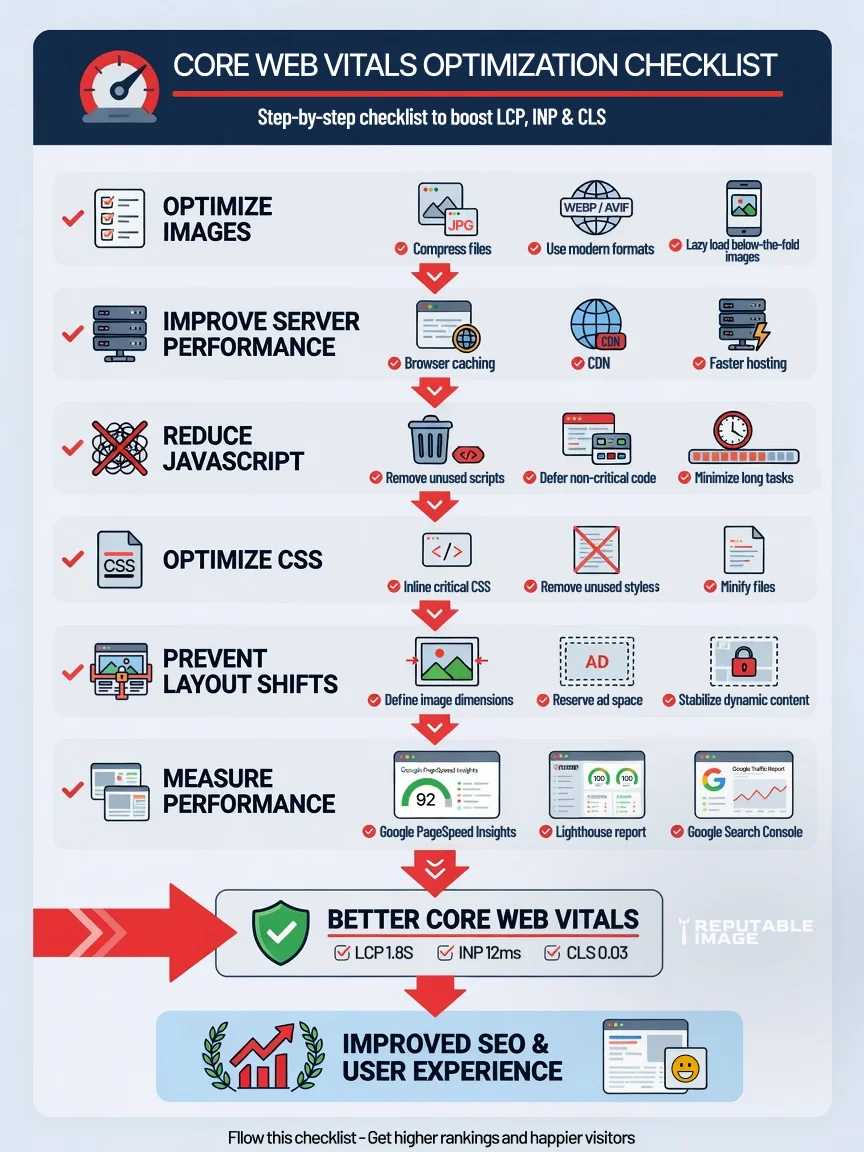
When performance is treated as a continuous process rather than a one-time project, the user experience steadily improves, and Core Web Vitals scores follow suit. The reward is a site that not only pleases search algorithms but delights the people who ultimately determine your business’s success.
Core Web Vitals provide a clear, user-focused framework for understanding how visitors truly experience your website. By improving Largest Contentful Paint, Interaction to Next Paint, and Cumulative Layout Shift, businesses can create faster, more responsive, and visually stable websites that drive higher engagement, improved search rankings, and stronger user satisfaction. In a digital world where speed and reliability are competitive advantages, investing in these metrics today builds a more resilient and profitable online presence for the future.
At Reputable Image, we help businesses optimize website performance through technical SEO, performance audits, and user experience enhancements. If you're ready to improve your Core Web Vitals and strengthen your website's performance, click below to Call for SEO help and get started.
Sources:
1. Google Search Central - "Core Web Vitals"
https://developers.google.com/search/docs/appearance/core-web-vitals
2. Web.dev - "Core Web Vitals"
https://web.dev/articles/vitals
